

Strong Signal: What Your Home Network Actually Needs Right Now
Your network is overdue for a checkup. Wireless networking is one of those things that works quietly in the background. Until it doesn’t. And when it stops working, it doesn’t just mean buffering. It means a video call dropping mid-presentation, a front door camera going offline, a lighting scene that won’t respond, a house that…
Your network is overdue for a checkup.
Wireless networking is one of those things that works quietly in the background. Until it doesn’t. And when it stops working, it doesn’t just mean buffering. It means a video call dropping mid-presentation, a front door camera going offline, a lighting scene that won’t respond, a house that feels broken.
For homes with integrated technology, the network isn’t a convenience. It’s the foundation everything else runs on.
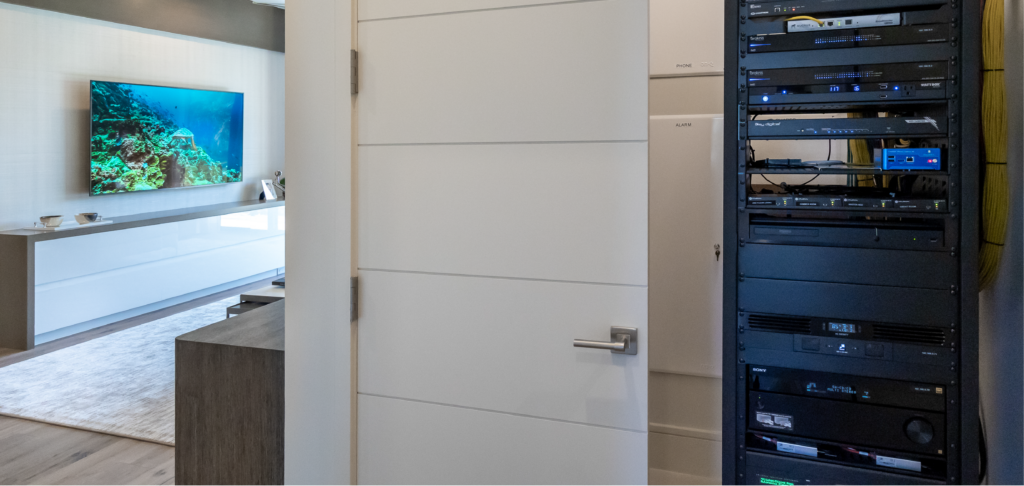
The Speed of your internet probably went up. The speed of Your equipment probably didn’t.
Internet service providers have been steadily increasing plan speeds across the country. That’s good news, but most home networking equipment wasn’t designed to take advantage of it. The bottleneck isn’t your service. It’s the hardware sitting in a closet or on a shelf that’s been running, without much thought, for the last few years.
Five years is considered to be the ceiling for wireless networking equipment lifespan given the rate that the technology is developing. In order to stay current with security and performance demands, we recommend systems stay in this window.
If your router is more than four years old, that math isn’t in your favor.
Mesh systems aren’t built for integrated homes.
Consumer mesh systems work well for what they’re designed to do: blanket a home in basic wireless coverage. But a home with integrated technology is a different environment entirely. You have devices that need dedicated bandwidth, solutions that require stable and consistent connections, and infrastructure that needs to be remotely monitored, diagnosed, and updated.
The networking products available off the shelf weren’t engineered for that level of complexity. They’re designed for simplicity: easy setup, basic coverage, minimal configuration. That’s fine for a laptop and a few phones. It’s not enough for a home where technology is doing real work.
When something goes wrong with a consumer setup, the support experience matches the product. Professional installation means a real service relationship: someone who knows your solution, can access it remotely, and can resolve issues without putting that burden on you.
Security isn’t a footnote.
Most homeowners don’t think about their router as a security device. But it’s the entry point for everything on your network: cameras, door locks, lighting controls, personal devices. What sits at that entry point matters.
Consumer networking hardware is not held to the same standards as enterprise-grade equipment. Updates can be inconsistent, and when a product reaches end-of-life, support disappears. Enterprise-grade hardware, properly specified and maintained, addresses these gaps as a matter of course.
Professional installation means the hardware in your home is specified, updated, and monitored as part of an ongoing service relationship. That’s not something you’ll find on a shelf at a retail store.
Your network is only as secure as its weakest point. For most homes, that point is the router nobody has thought about in four years.
Wi-Fi 7 is real. You may not need it yet.
Wi-Fi 7 is the latest wireless standard, and it delivers genuinely impressive speeds. It also comes with a tradeoff that doesn’t get talked about enough: as wireless technology gets faster, its effective range decreases. Where a previous-generation access point might cover a thousand square feet, a Wi-Fi 7 access point covers closer to six or seven hundred.
That’s not a reason to avoid it. It’s a reason to plan carefully, and planning carefully is where professional network design earns its place. The right answer isn’t always the newest hardware. It’s the right hardware, in the right locations, configured for how your home actually operates.
Not every home needs Wi-Fi 7 today. What every home needs is a network designed around how it actually functions: the square footage, the device count, the daily routines of the people living there.
The technology is changing. The question isn’t whether to upgrade. It’s whether your current setup is doing the job.
A backup connection that works without you thinking about it.
Reliable connectivity doesn’t just depend on your equipment. It depends on your service. For clients where an outage isn’t acceptable, a multi-WAN router makes it possible to run a second ISP connection as an automatic backup.
If your primary service goes down, the router fails over automatically. Cameras stay online. Controls stay responsive. The home keeps working without you having to do anything. It’s not the right fit for every situation, but for clients where continuity matters, it’s a conversation worth having during an assessment.

What a Network Assessment actually looks like.
It’s not a sales call. It’s a diagnostic: an honest look at what you have, how it’s performing, and whether it’s keeping up with the demands of your home. Sometimes everything checks out. Sometimes one change makes an immediate difference. Either way, you leave with a clear picture instead of a lingering question.
Your network should keep pace with your home, not fall behind it.